
Staff
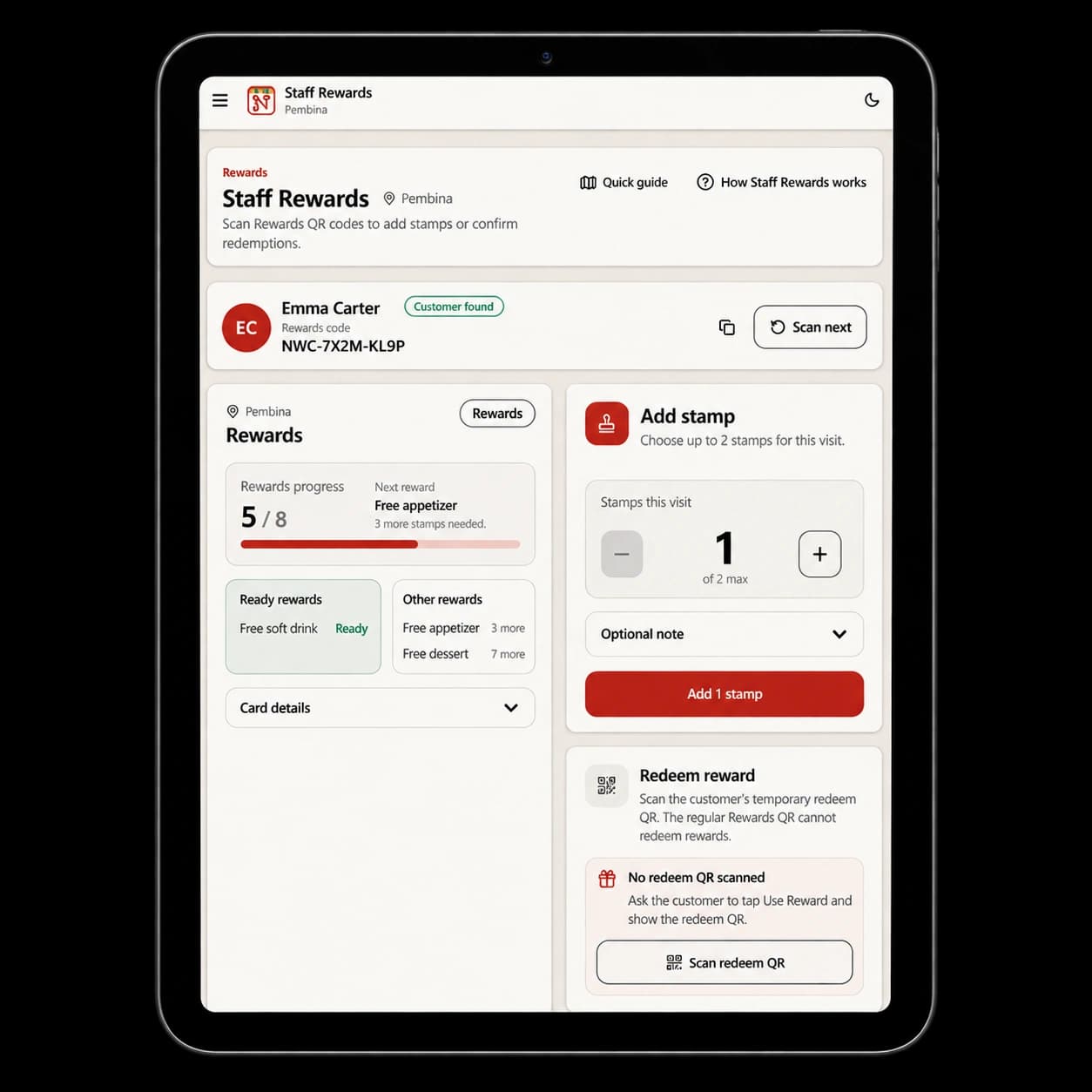
ProtectedComplete the Rewards action.
Authorized staff complete eligible stamp and redemption actions after purchase.
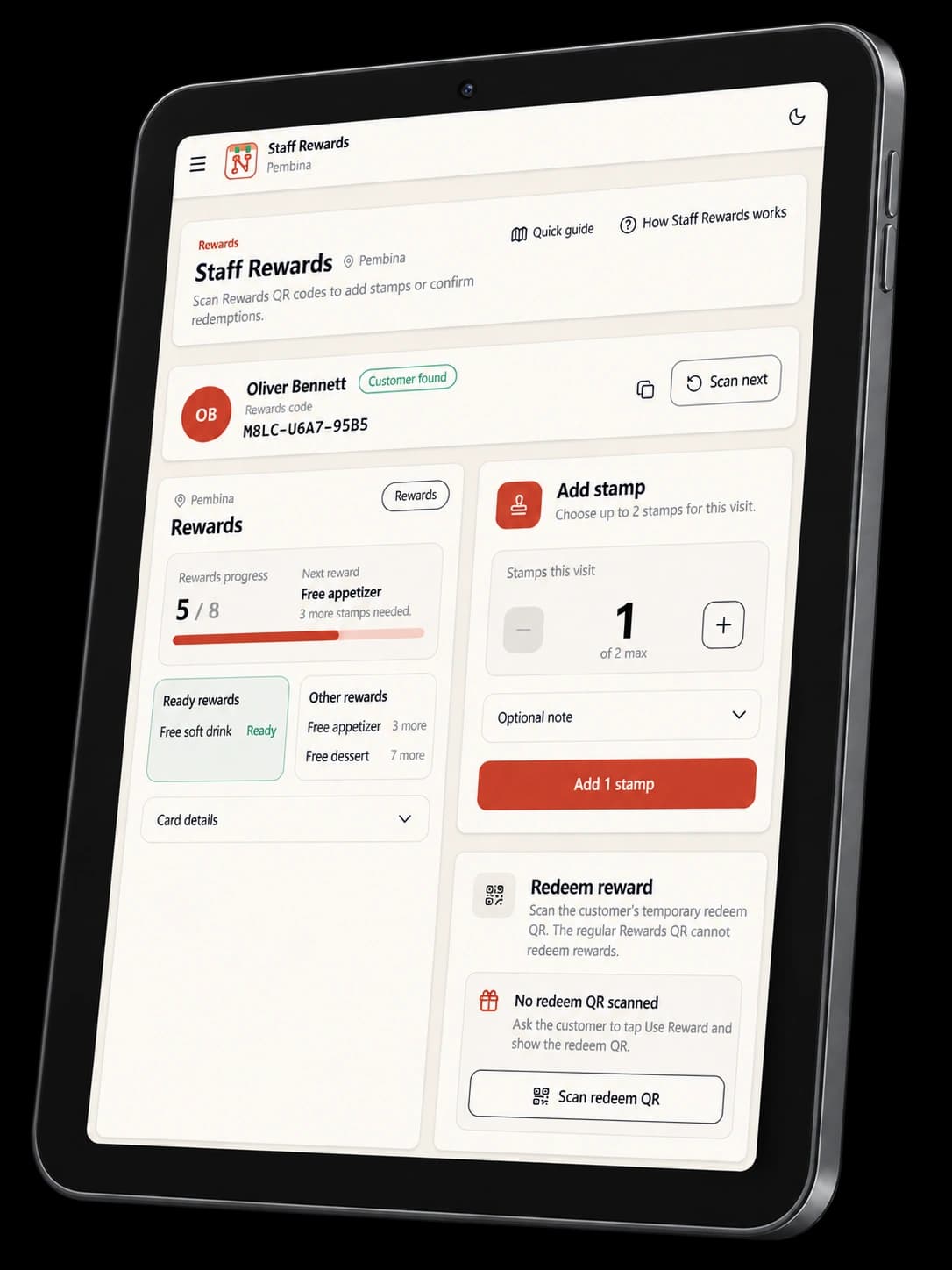
Authorized staff add an eligible stamp or validate a short-lived Redeem QR after purchase.
Live guest demo · Noshva Demo Bistro
Open the real QR Landing, browse the Menu, and explore a safe Rewards demo—then preview the private restaurant tools that complete the journey.
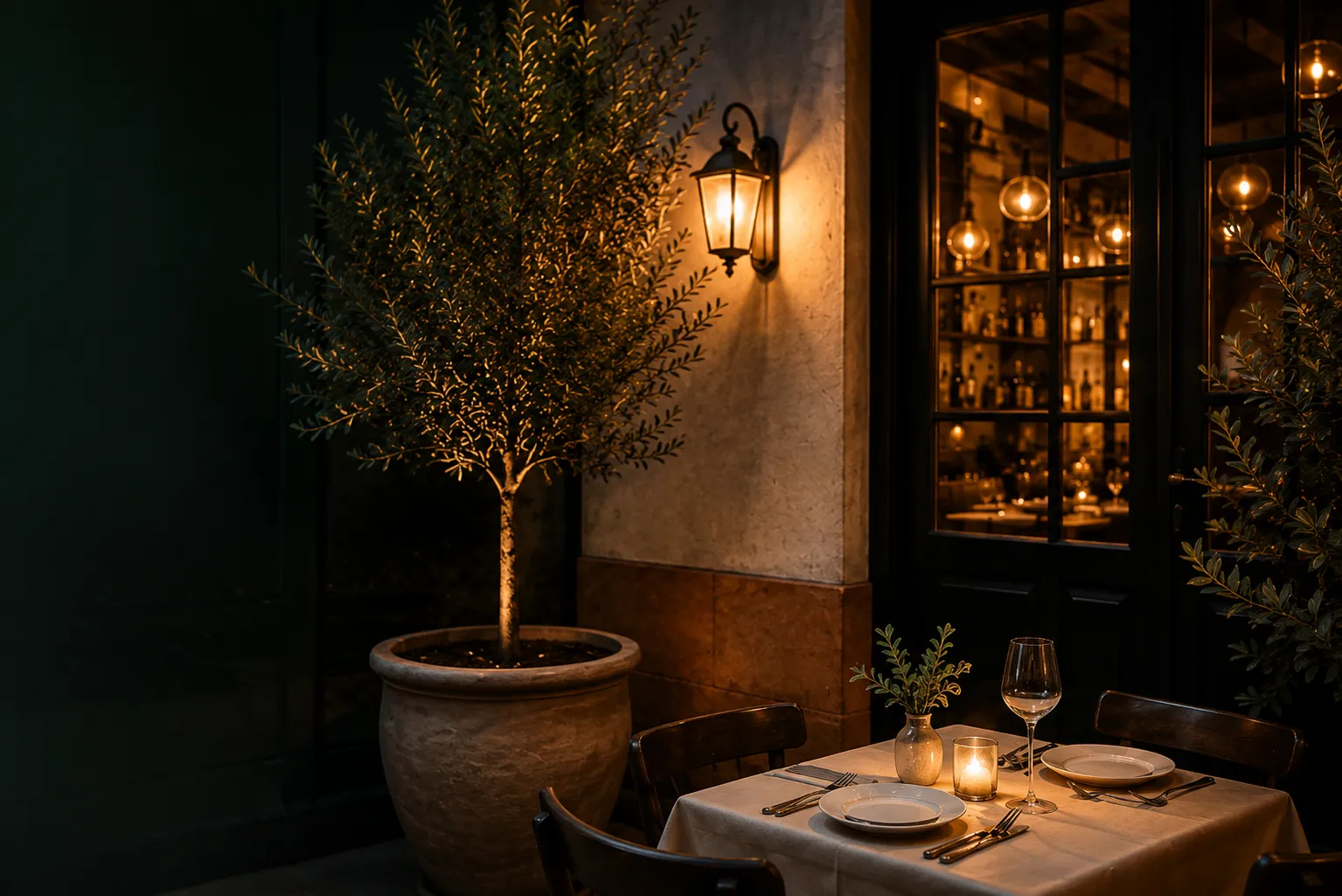
Guests open live. Restaurant tools are previewed.
Fictional demo restaurant · protected previews are static
CHOOSE HOW TO EXPLORE
Open any live guest path now, or follow the four moments in sequence. There is no forced tour.
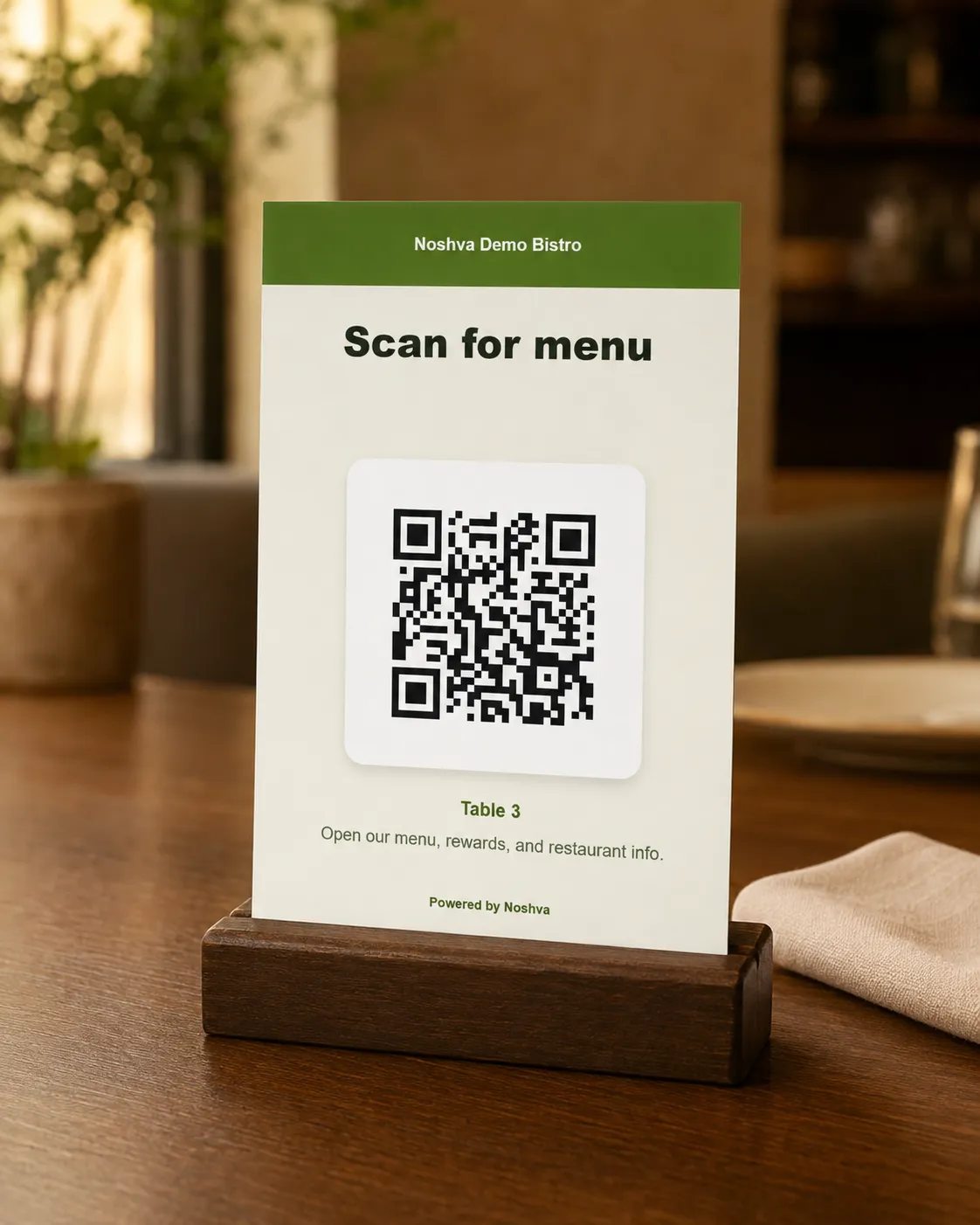
See the physical entry point, then move naturally into Landing, Menu, and Rewards.
Open live LandingPrefer the guided story?
The same four moments stay in view.
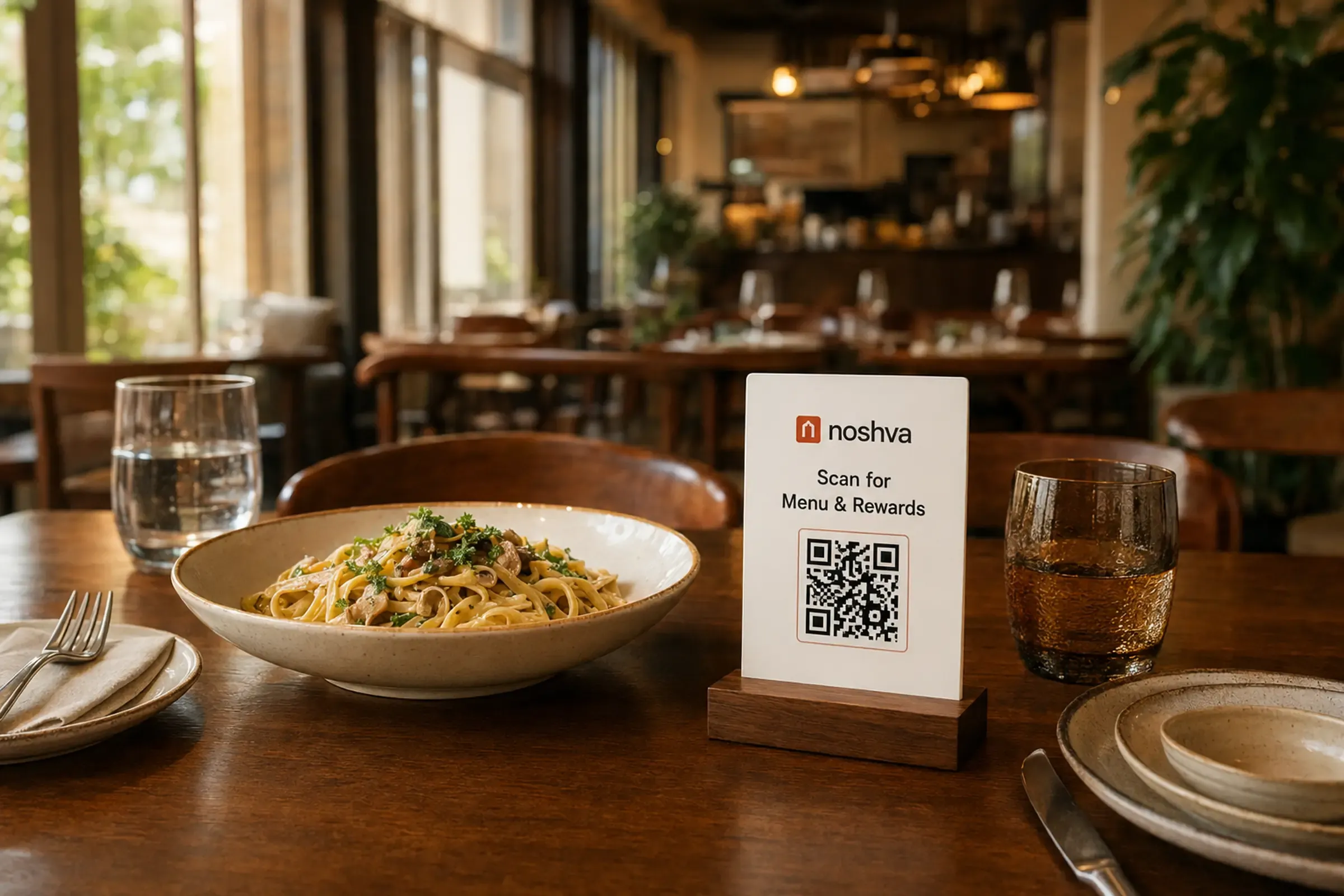
01 — Scan QR
A guest scans a physical restaurant QR and opens the public Demo Bistro Landing directly in a browser—no app, account, or install required.
On this device? Use the text link—the pictured QR is supplementary.
The public experience opens in the guest's browser.
The table touchpoint makes the starting context clear.
Landing and Menu stay public with no signup wall.
Restaurant and placement context stay attached to the next step.
Ready to explore · text link always available
02 — Landing
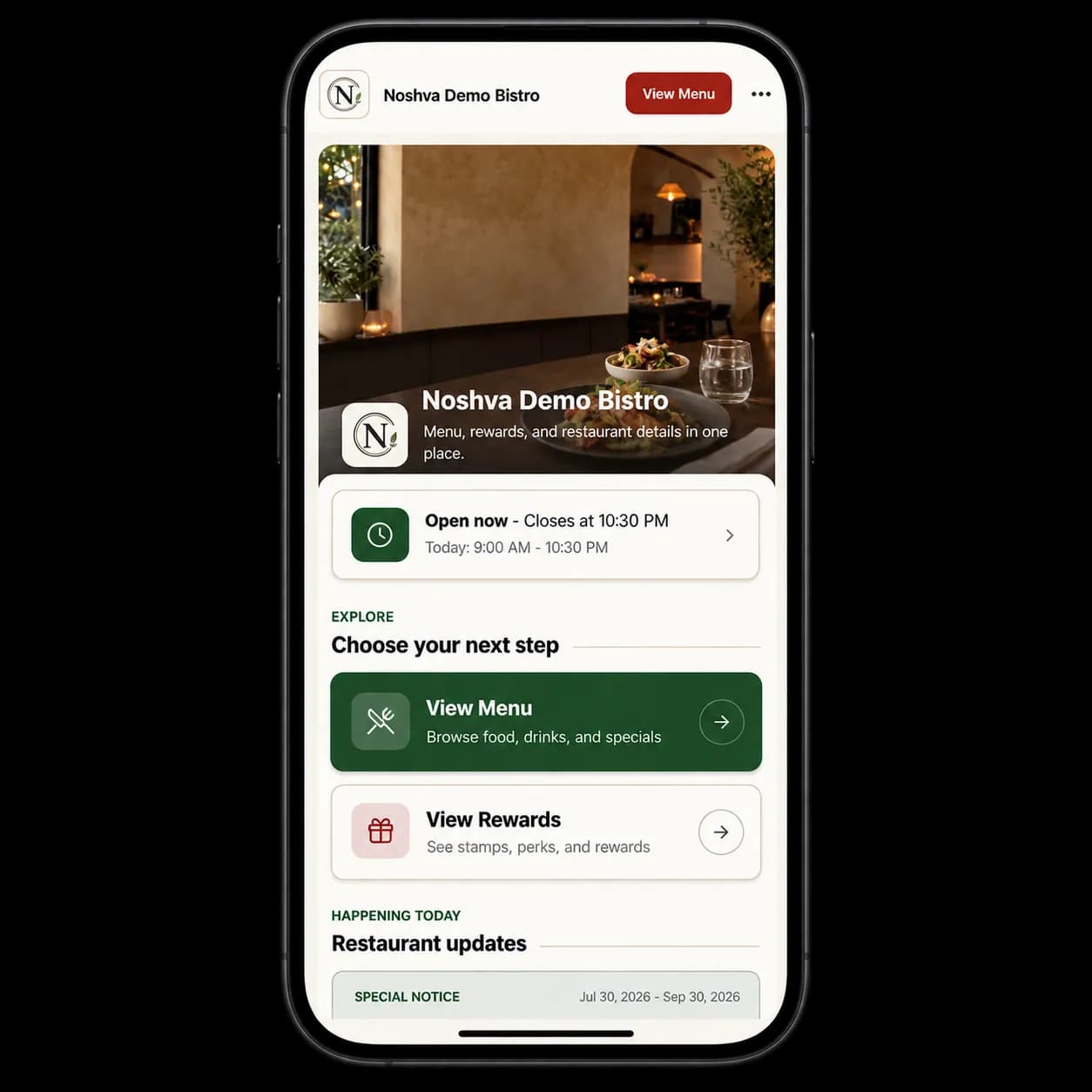
The public Landing works like a mobile front desk: current status, Menu and Rewards entry, updates, contact paths, and approved social or review actions in one place.
Answer “Can I visit now?” before asking guests to navigate.
Menu and Rewards remain the two clear primary paths.
Notices and current updates keep the restaurant context useful.
Directions, contact, social, and review links stay easy to find.
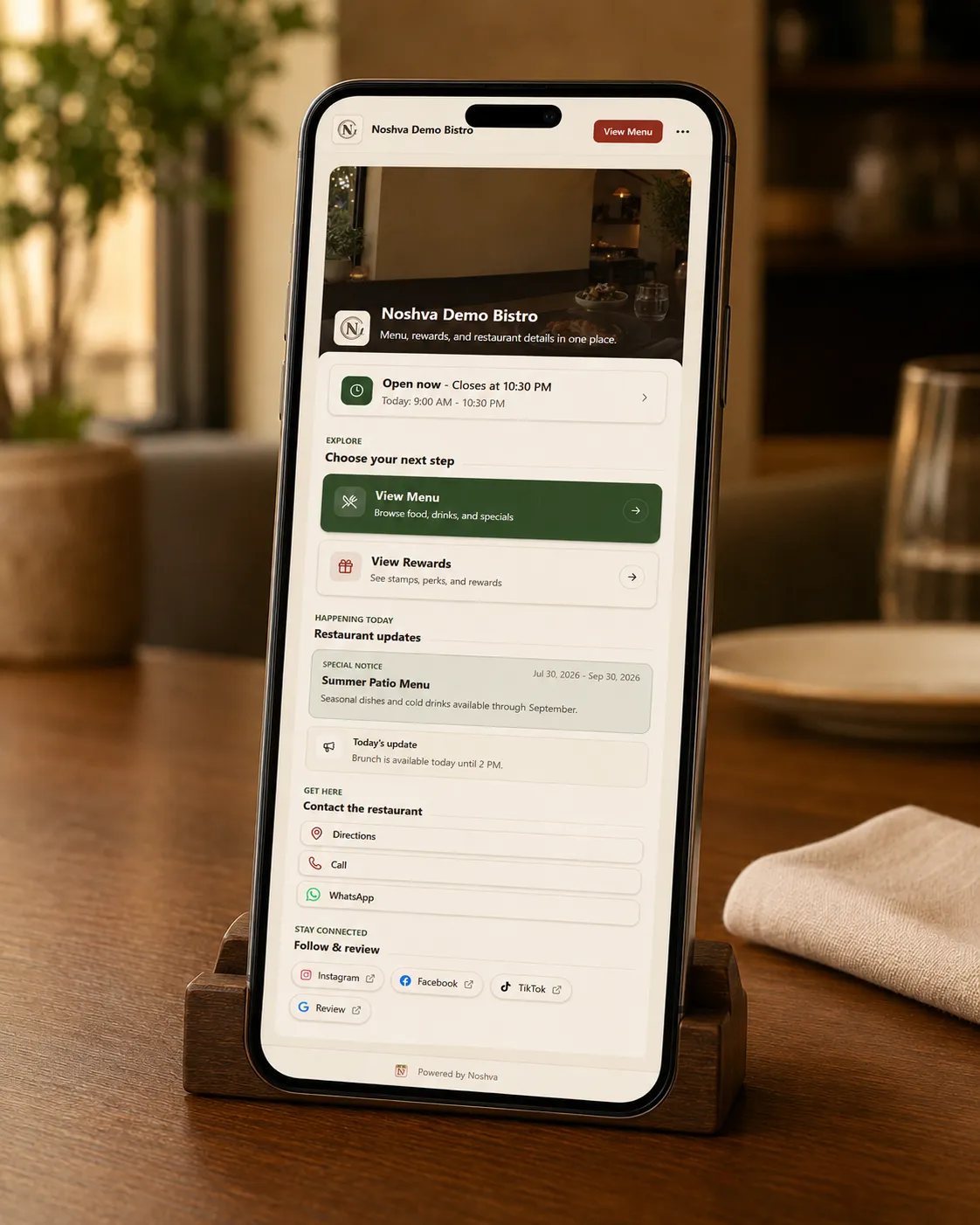
Status provides the first confidence signal.
Two prominent destinations, not a crowded link list.
Restaurant updates make the page timely.
Public mobile experience
Status provides the first confidence signal.
Two prominent destinations, not a crowded link list.
Restaurant updates make the page timely.
03 — Menu
Browse categories, featured items, imagery, descriptions, price context, saved picks, and supported filters in the real mobile Menu.
Featured items and categories make a long Menu easy to scan.
A guided discovery prompt can narrow the first choice.
Guests can keep a short browser-local list while exploring.
Search and filters appear where the configured Menu supports them.
Browsing—not ordering. The Demo has no cart, checkout, payment, delivery, or POS processing.

Featured first · Help Me Choose · My Picks · supported filters
Browsing—not ordering
04 — Rewards
Explore resettable sample progress, the next reward, and the reward ladder without creating a real customer account or saving real Rewards data.
Safe demo state, clearly labeled. Public visitors cannot issue real stamps or access staff redemption controls.
The guest sees fictional progress in an explicitly labeled demo.
One safe simulated step explains how progress changes.
Restaurant-specific reward levels stay easy to compare.
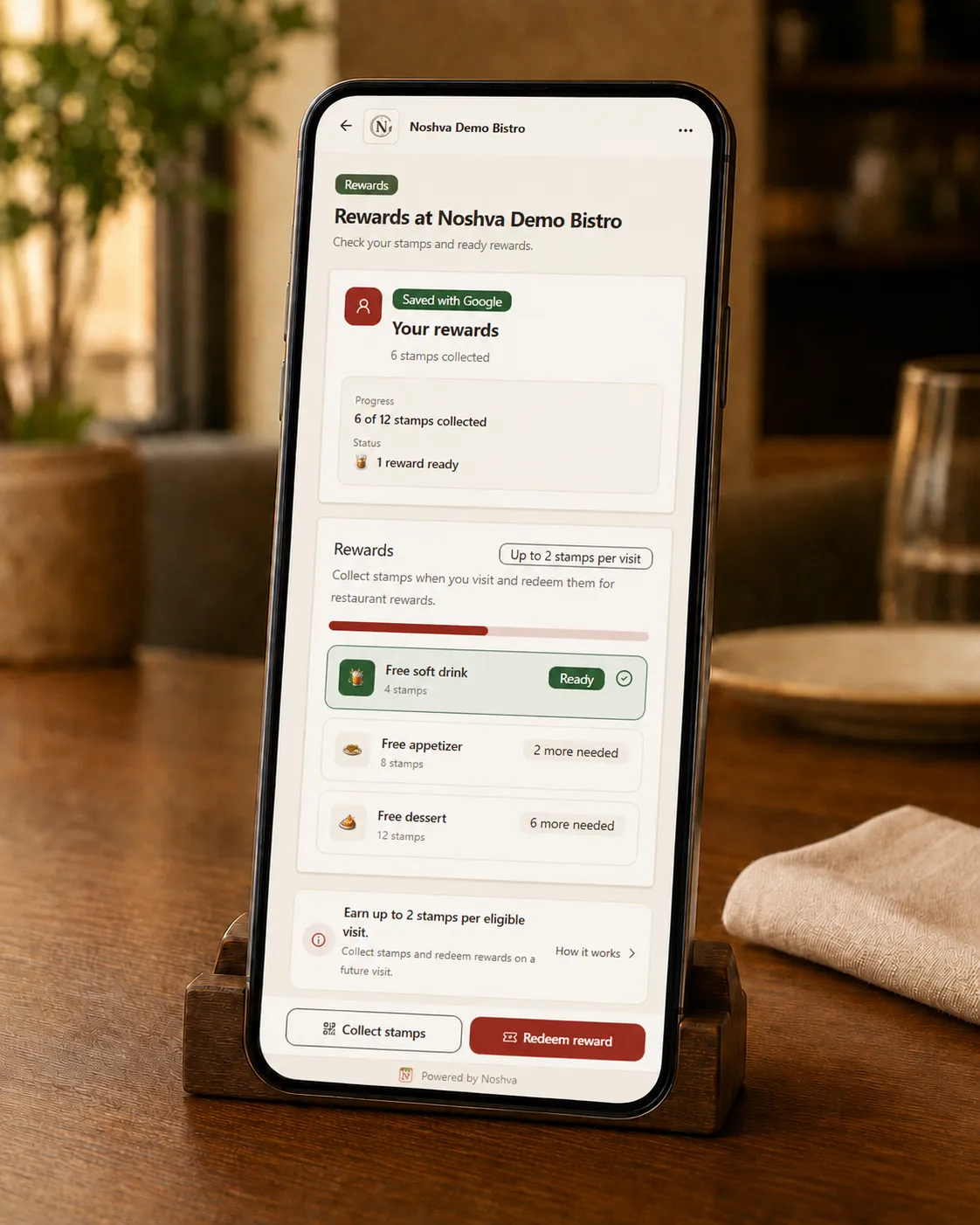
INTERACTIVE DEMO
Resettable · no account created
No real account or Rewards data created
INTERACTIVE DEMO
Resettable · no account created
Behind the guest moment
See how staff complete the relevant Rewards action and how owners shape and review the product. Private restaurant tools remain protected and are not opened from this public page.
Static, sanitized preview only
Staff
ProtectedAuthorized staff complete eligible stamp and redemption actions after purchase.
Authorized staff add an eligible stamp or validate a short-lived Redeem QR after purchase.
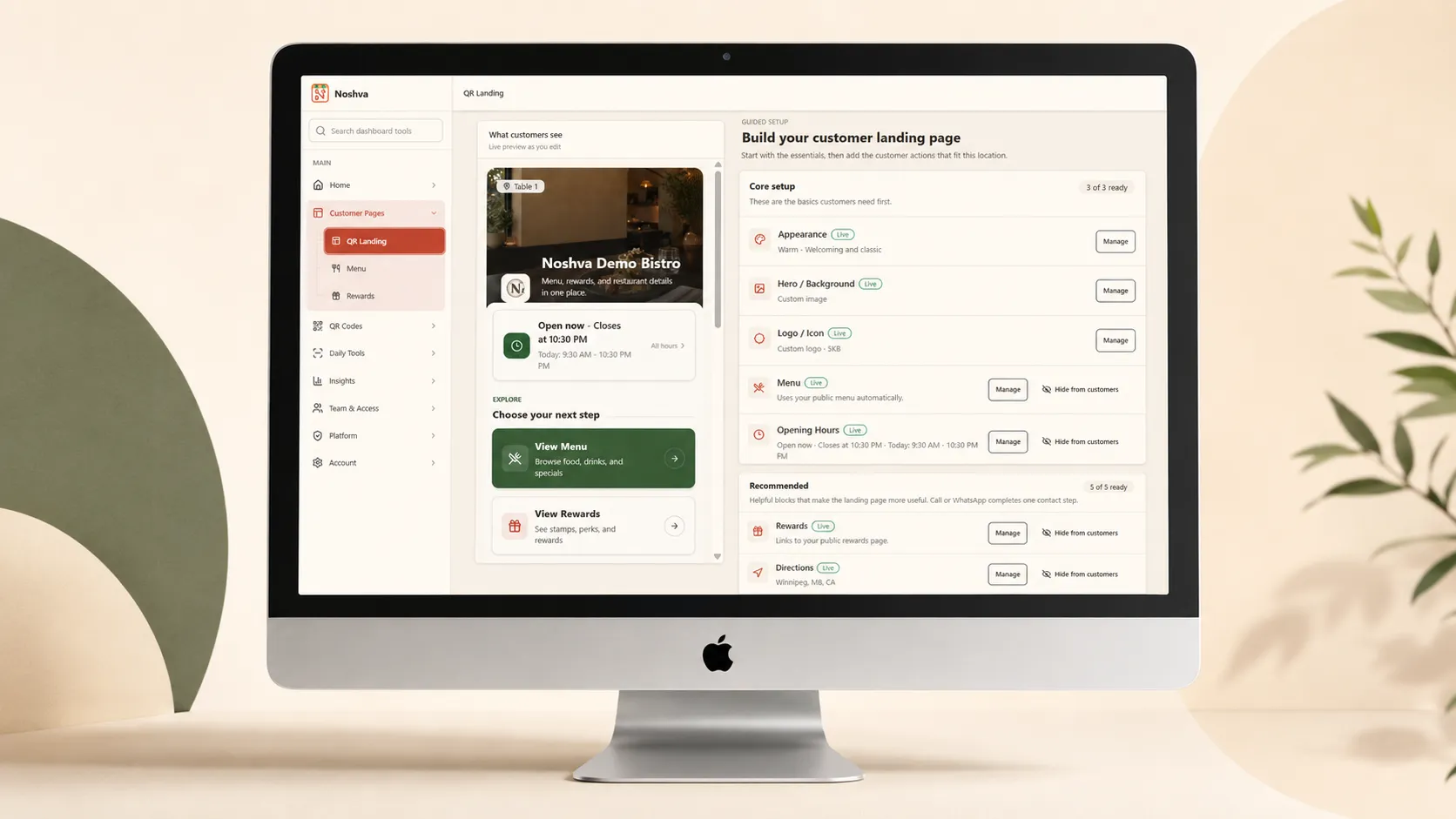
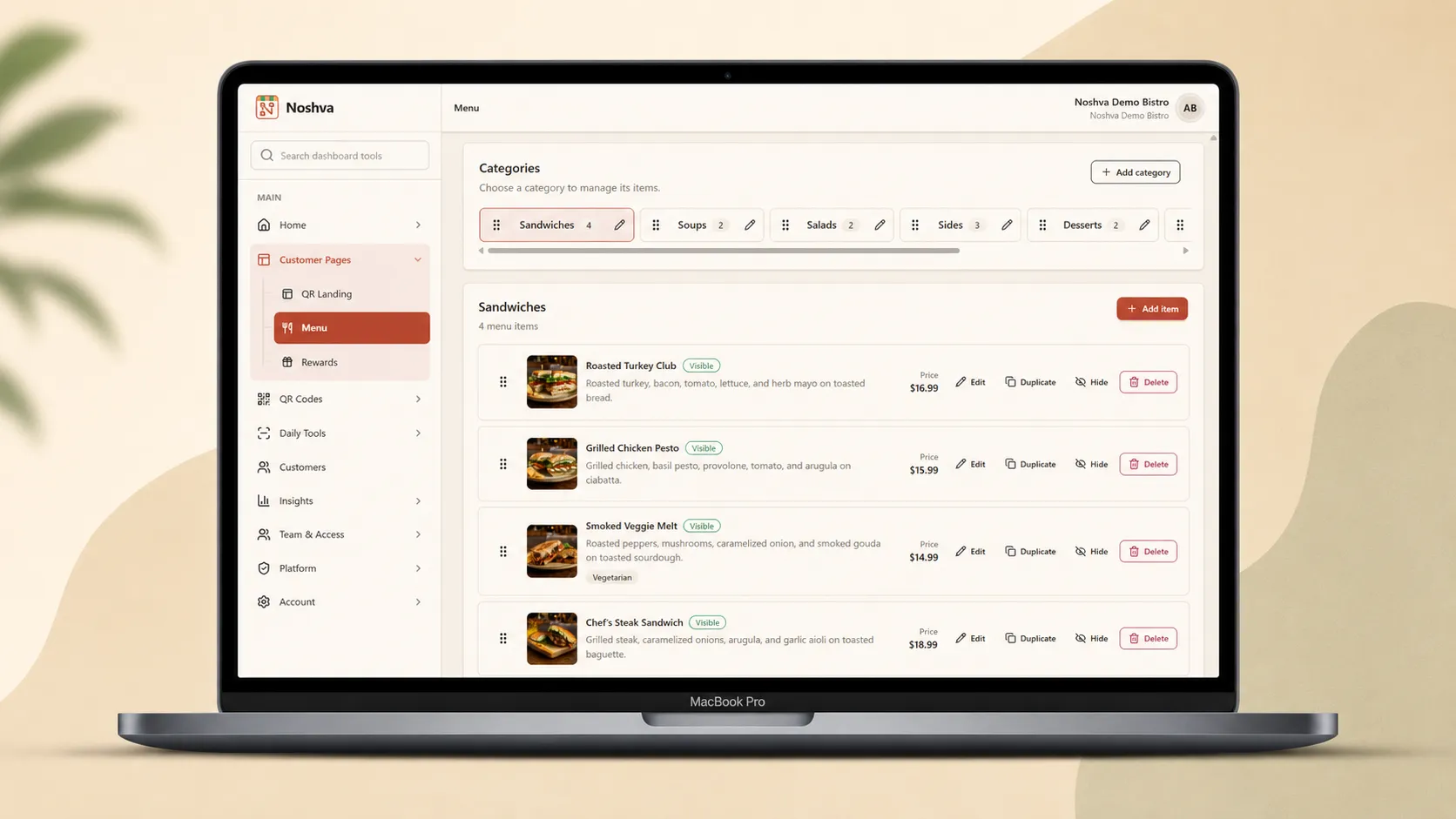
Owner setup
PREVIEWSanitized builder previews explain the setup without exposing private restaurant data or controls.
Owner review
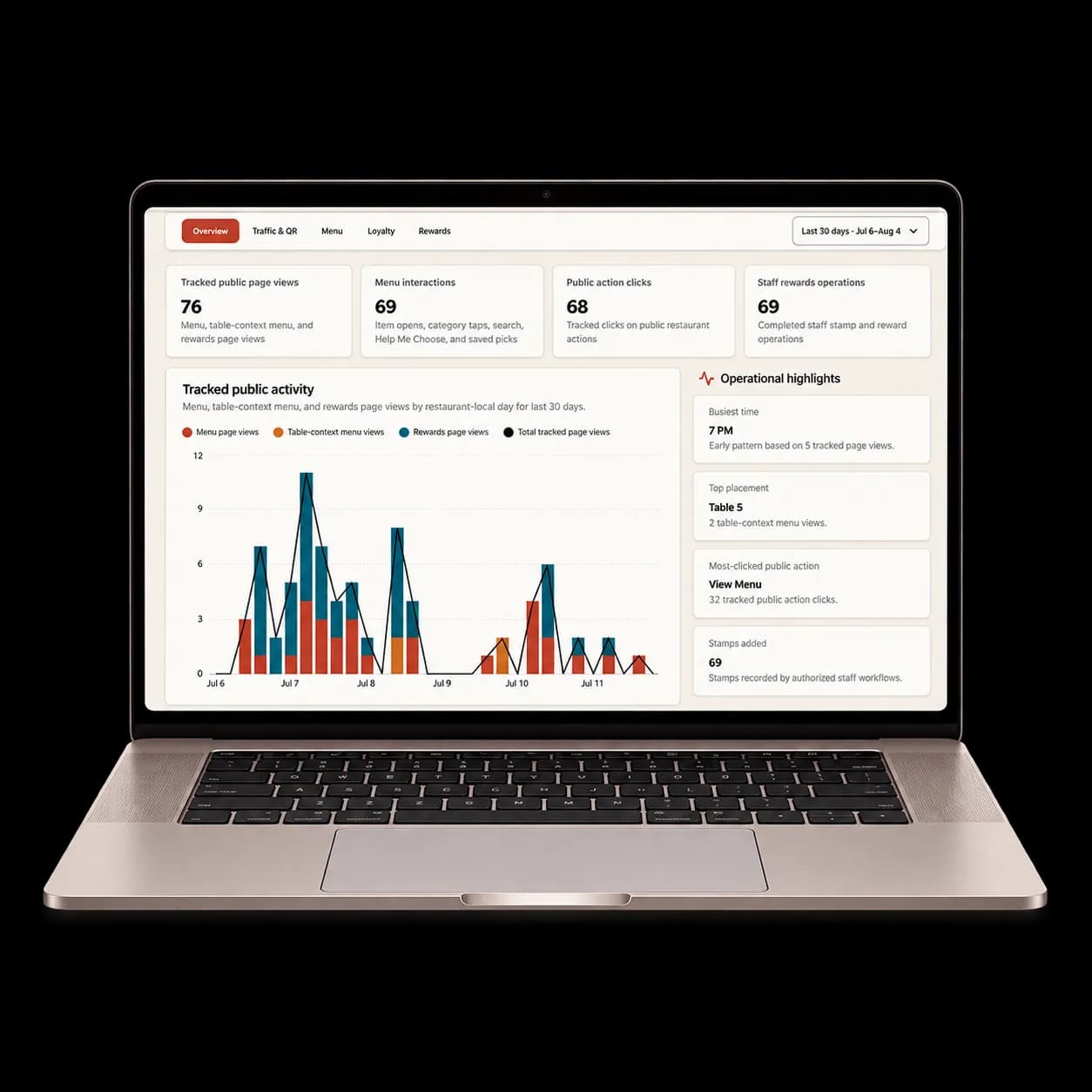
PREVIEWOwners review aggregate product activity—not sales, revenue, or customer identity.
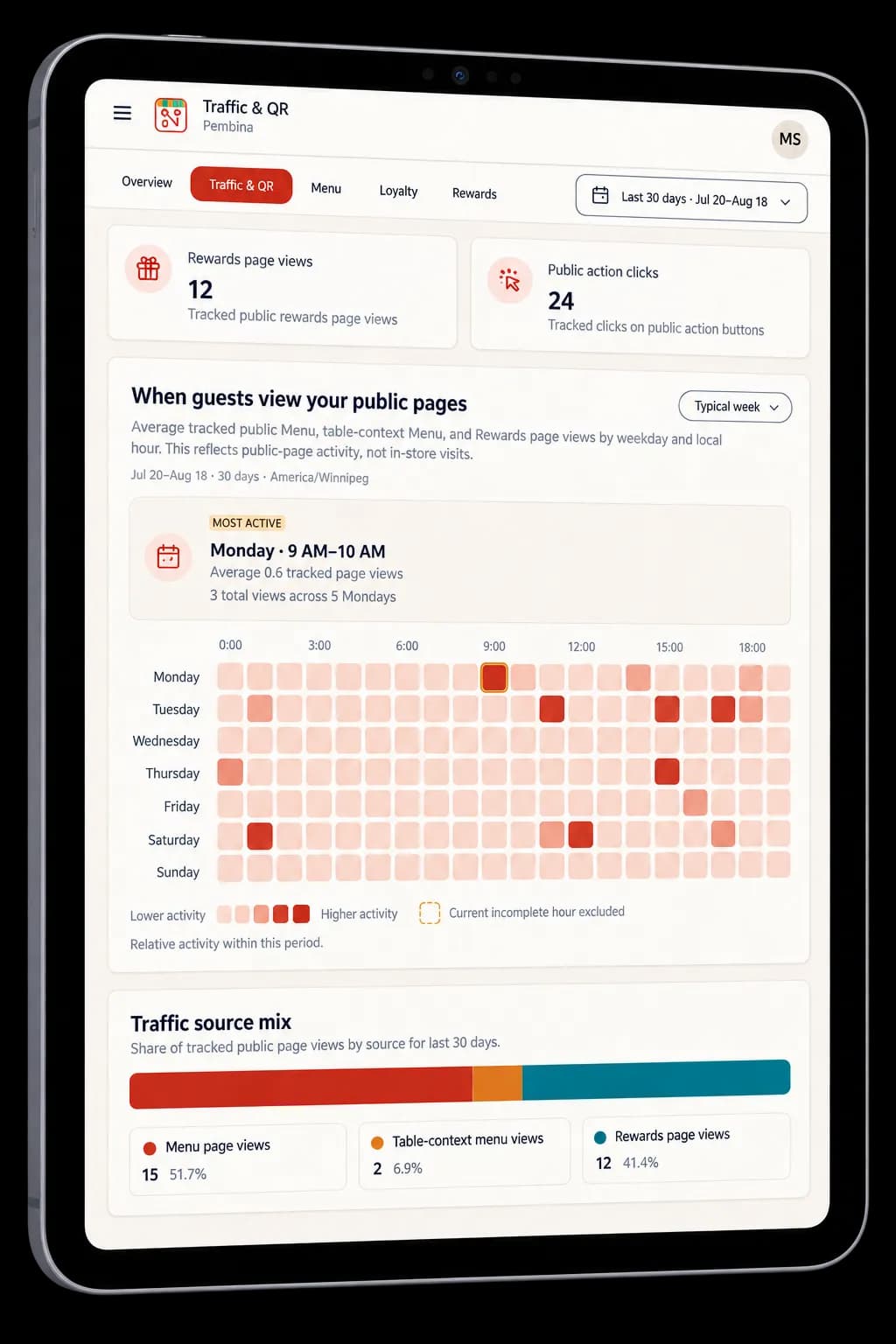
Aggregate signals only—never sales claims.
Protected by design
What you can explore
Public guest paths are interactive. Restaurant tools remain static, sanitized previews.
Open public guest paths directly in a real browser.
Understand the private workflow through static, sanitized previews.
Demo FAQ
Quick answers about what is live, what is fictional, and what stays protected.
No. Noshva Demo Bistro is a fictional restaurant created to demonstrate the public Noshva experience and protected restaurant workflow.
GUIDED RESTAURANT PILOT
Tell Noshva which guest, staff, or owner workflow you want to improve. Pilot requests are reviewed before a restaurant workspace is prepared; a request does not automatically prepare a workspace.