THE NOSHVA PRODUCT
One restaurant context.Every product moment connected.
QR Landing, Mobile Menu, Rewards, QR & Print, Staff Rewards, and Analytics—each focused on one job, all connected to the same restaurant.
- Works beside your POS
- No guest app
- Focused roles, shared context
A CONNECTED RESTAURANT WORKFLOW
From public guest access to owner visibility.
Guests open one public experience. Staff complete only the relevant Rewards action after purchase. Owners review aggregate product activity across the same restaurant context.
- 1
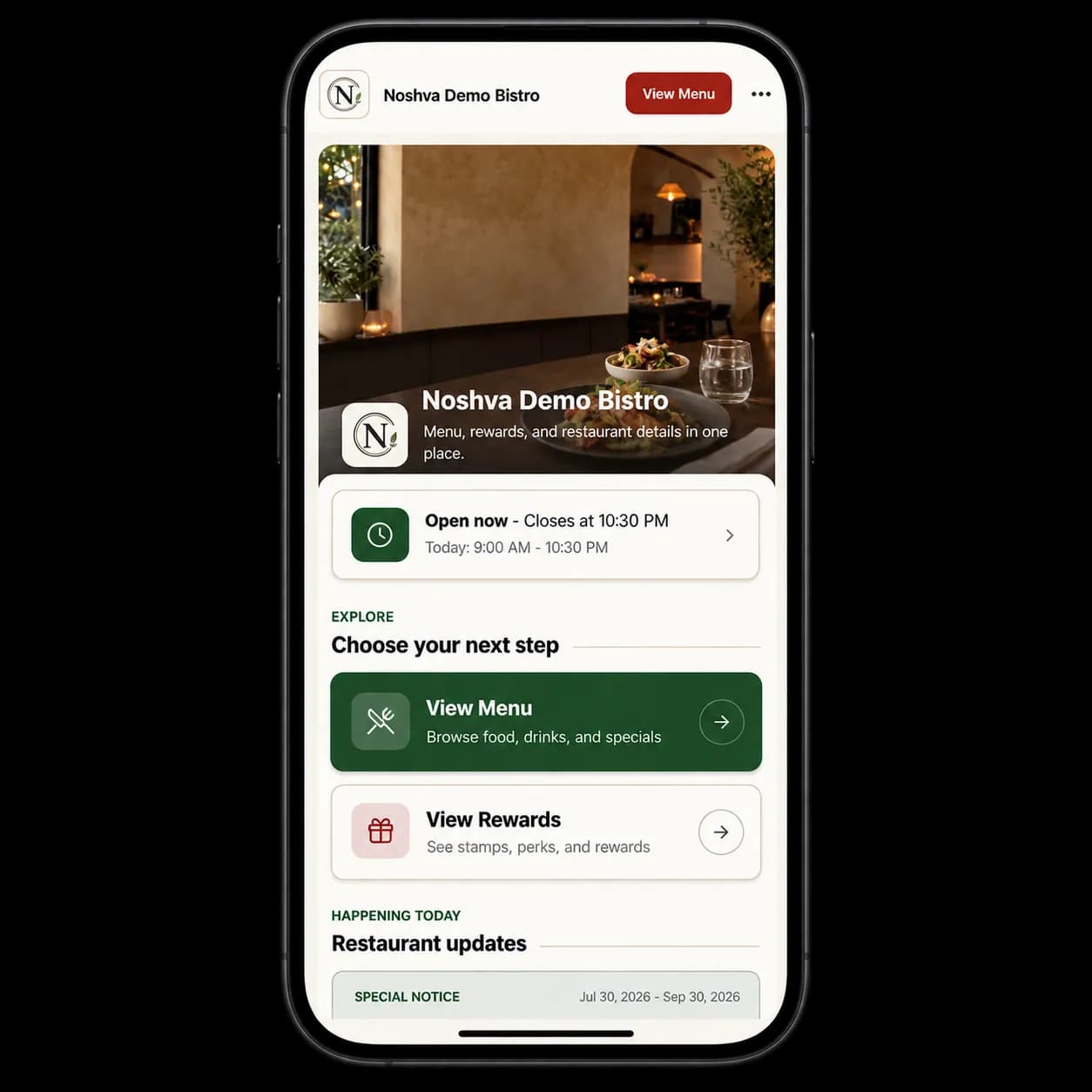
Guest opens
One public restaurant touchpoint.
Menu, Rewards, hours, updates, and approved public actions stay easy to reach.
- 2
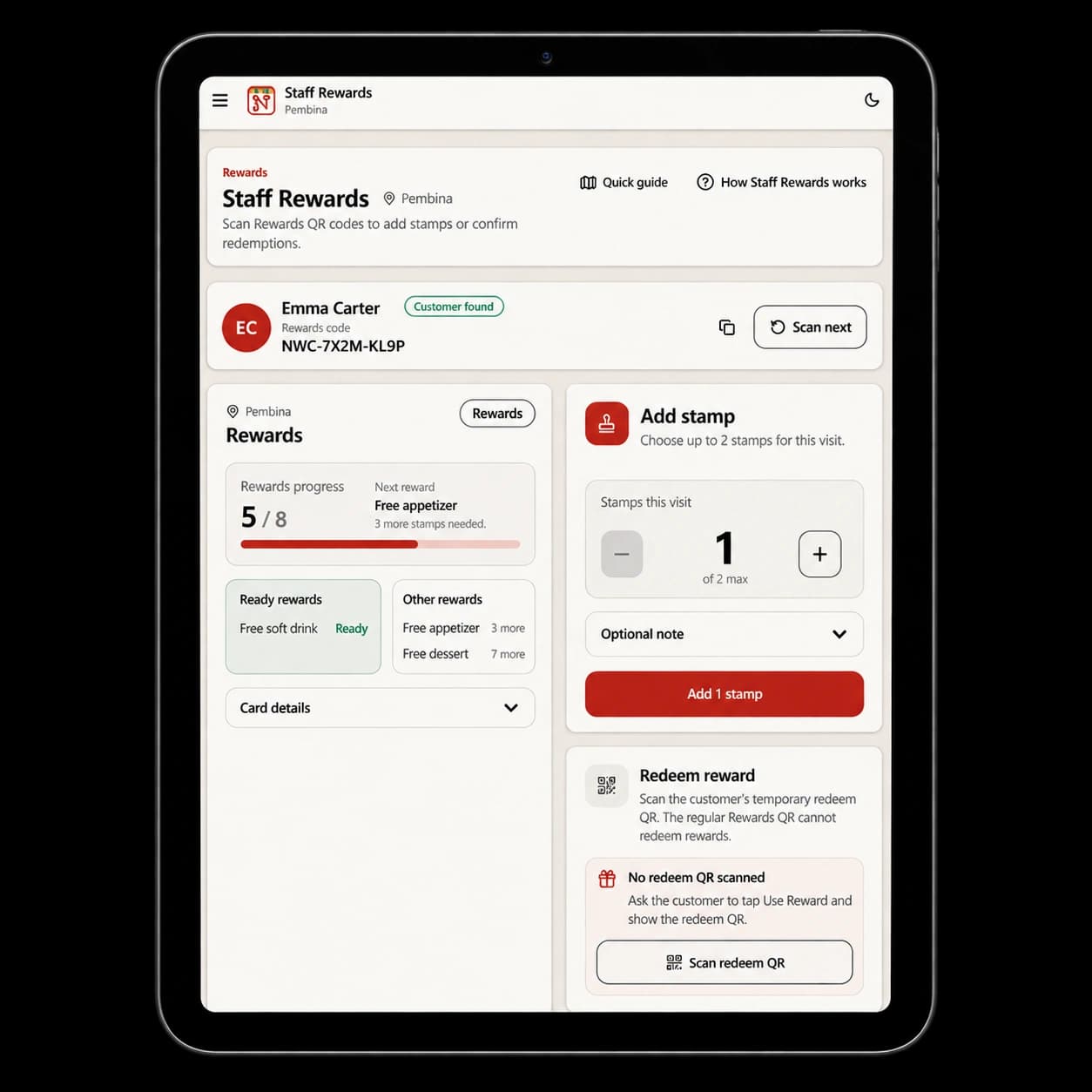
Staff completes
The relevant action after purchase.
Authorized staff add eligible stamps or validate a short-lived Redeem QR.
- 3
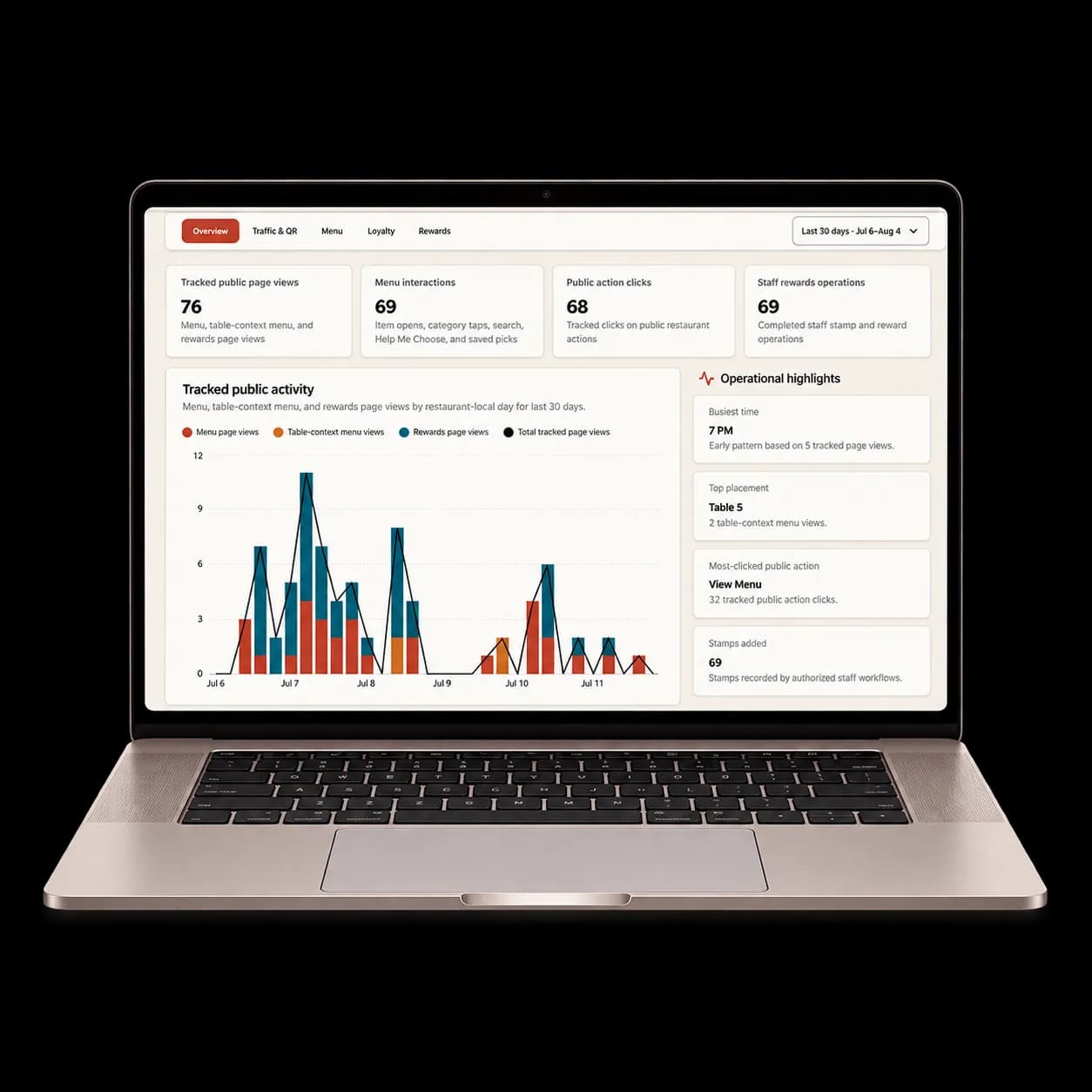
Owner reviews
Aggregate product activity.
See where guests engage across QR, Menu, public actions, and Rewards trends.
01 / QR LANDING
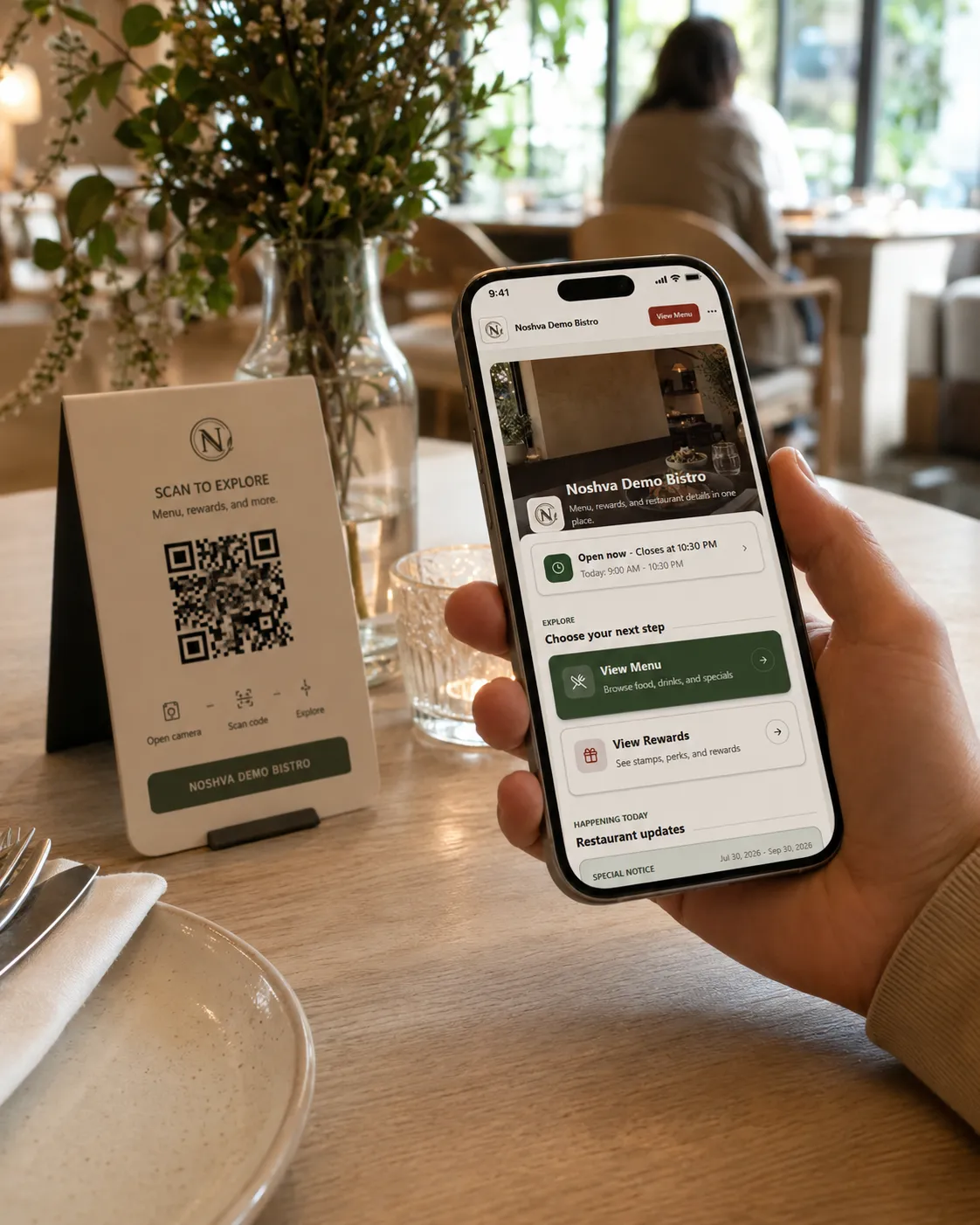
Give every restaurant QR a clear next step.
One mobile-first landing brings together restaurant details, Menu, Rewards, notices, social and review links, and approved public actions—from a single scan.
- One public restaurant entry point
- Configurable restaurant information and actions
- Direct paths to Menu and Rewards
- Stable restaurant and placement-aware QR routing
02 / MOBILE MENU
Make the Menu easy to browse from the guest’s phone.
Organize categories and items in a public, mobile-first Menu with clear imagery, pricing, search, filters, and restaurant context.
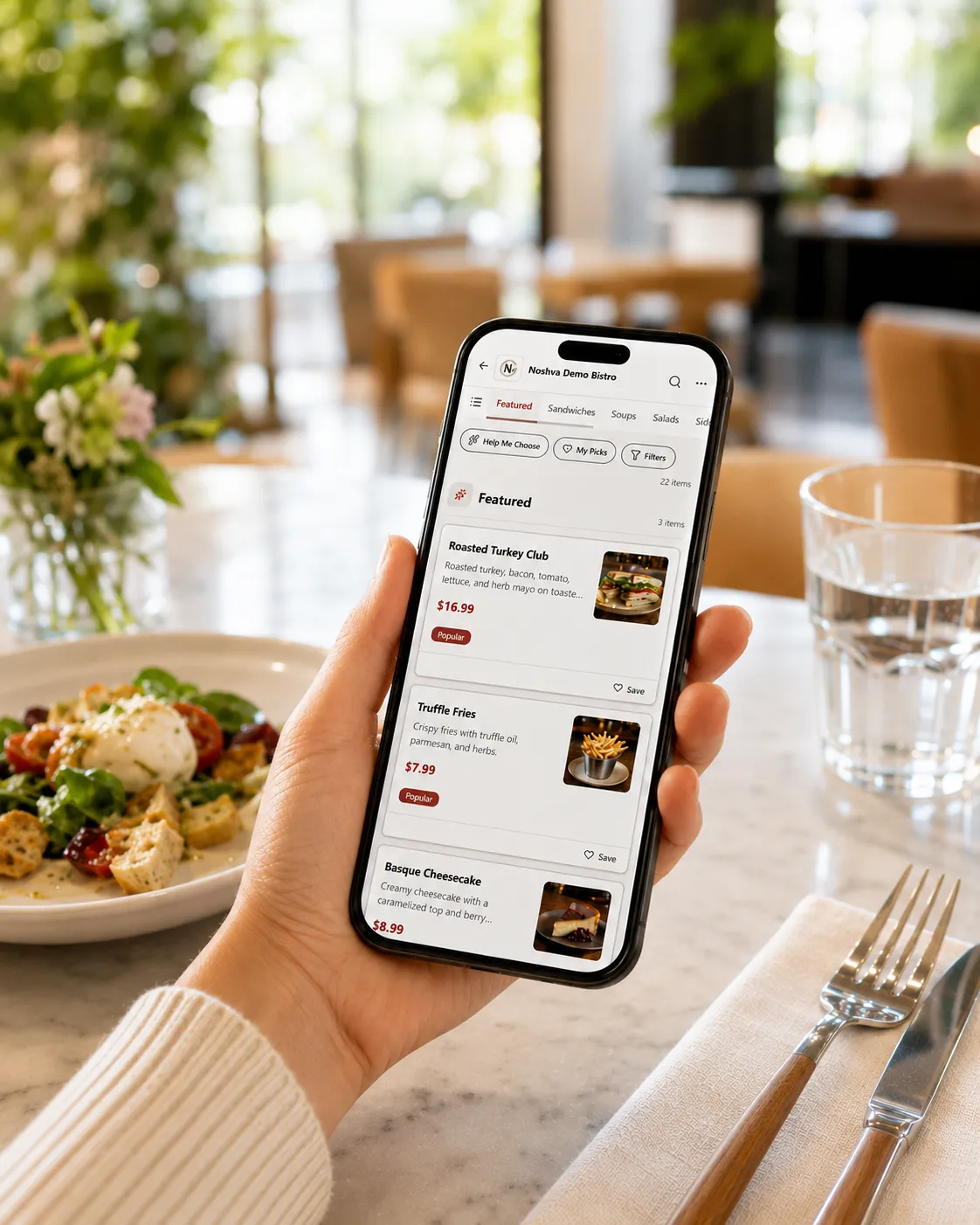
- Mobile-first public browsingGuests scan and explore instantly. No app needed.
- Clear categories & item organizationClear structure keeps the Menu easy to scan.
- Search & filters where supportedHelp guests quickly find what they need.
- Real imagery & pricingShow imagery and pricing clearly while guests browse.
03 / REWARDS
Give guests a reason to come back.
Guests reopen a restaurant-specific Rewards card, collect staff-issued stamps after eligible purchases, and present a short-lived Redeem QR when ready.
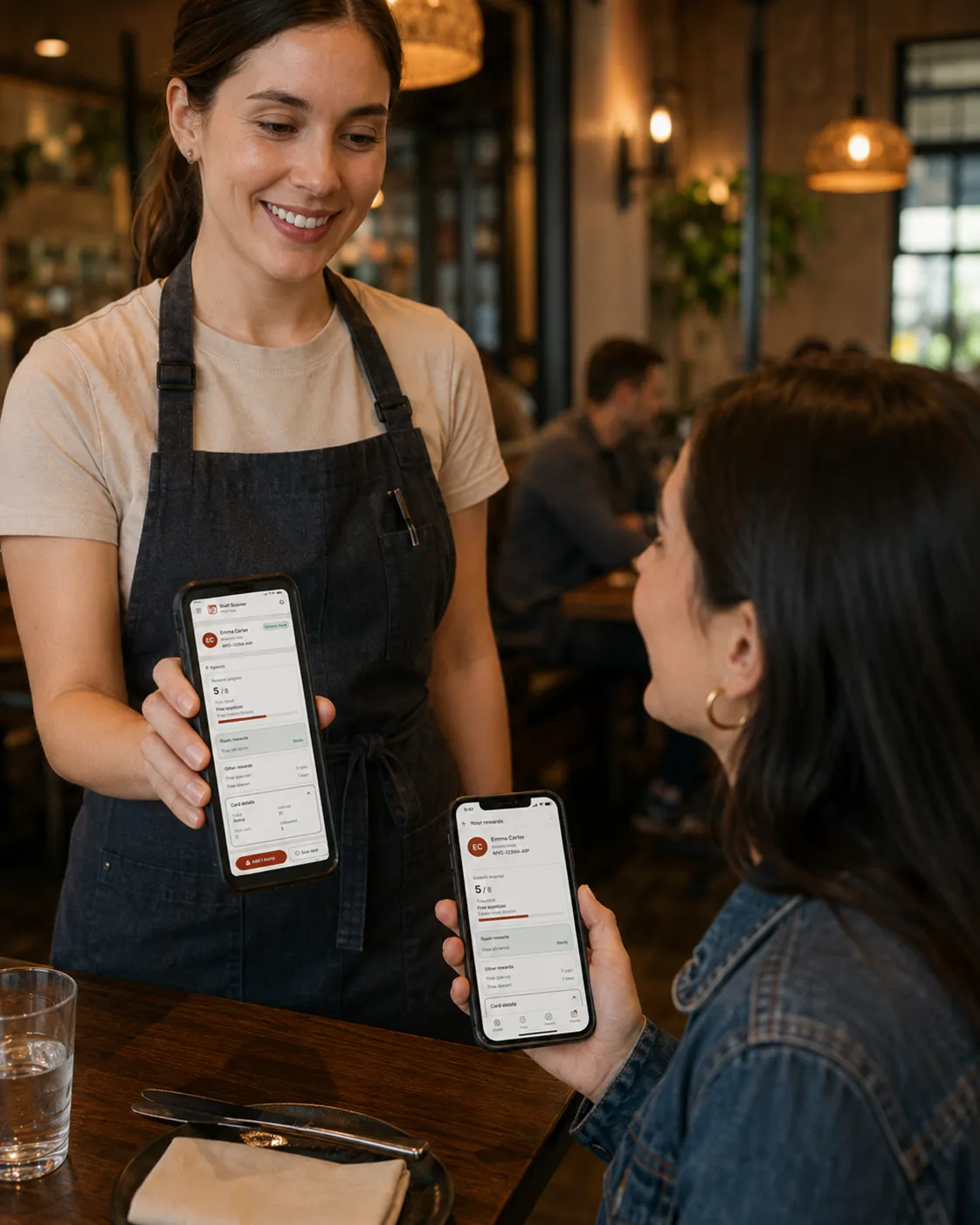
- Restaurant-specific progressEach guest keeps clear progress for this restaurant.
- Reusable rewards identityGuests can restore their card and continue where they left off.
- Staff-issued stamps after purchaseAuthorized staff add progress after the eligible action.
- Short-lived Redeem QRRewards stay secure and easy for staff to validate.
04 / QR CODES & PRINT
Prepare stable QR touchpoints for the places guests already look.
Create stable restaurant and placement QR links for tables, counters, windows, pickup areas, takeout packaging, and similar touchpoints.
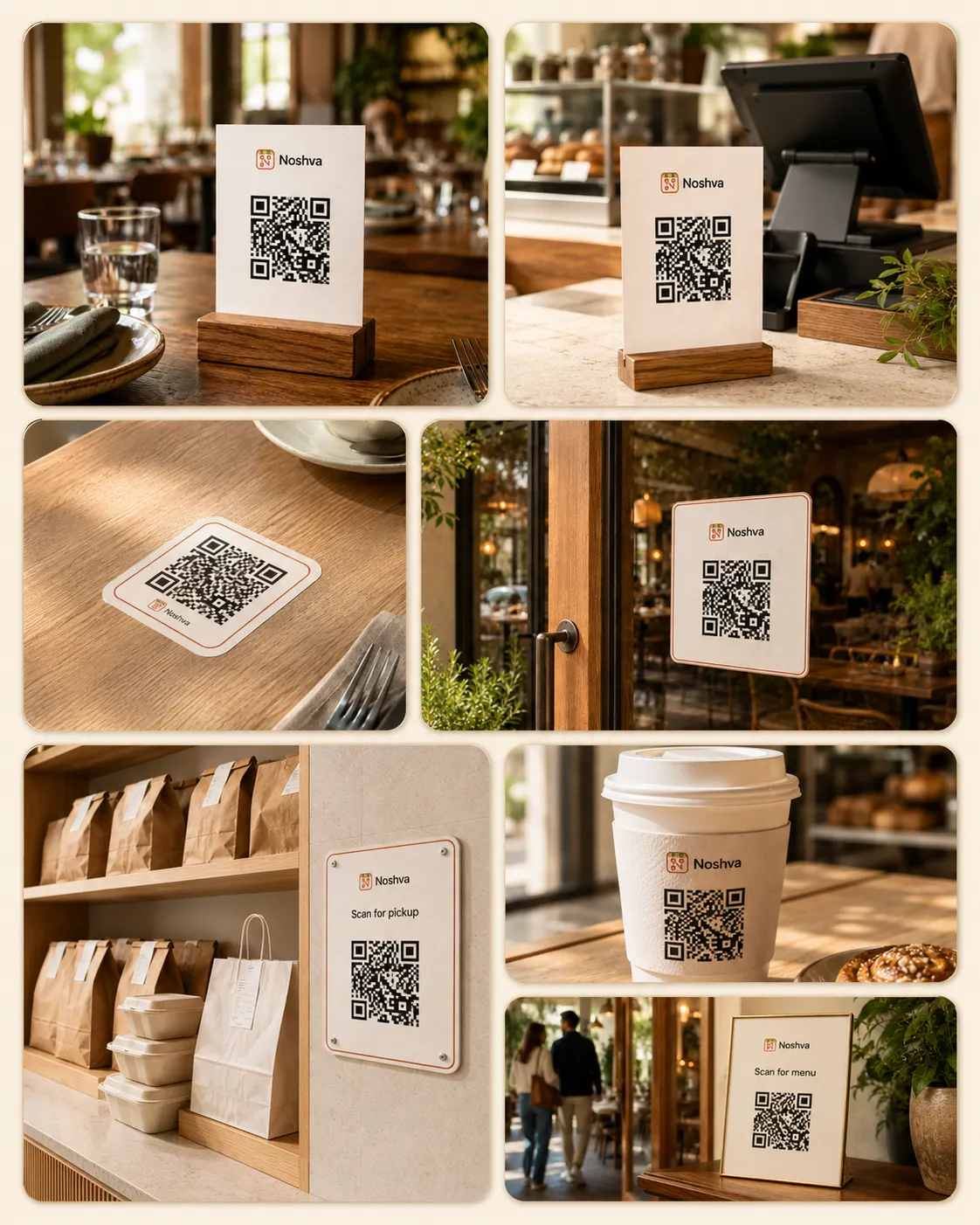
- Stable QR linksKeep restaurant and placement routing easy to manage.
- Placement-aware card designMatch each QR card to its real guest touchpoint.
- Downloadable assetsExport raw QR and ready-to-use card files.
- Print-ready outputPrepare clean PDFs for table cards, pickup signs, and more.
05 / STAFF REWARDS
Keep Rewards actions clear at the counter.
Authorized staff scan a Rewards code, review restaurant progress, add eligible stamps, or validate a short-lived Redeem QR.
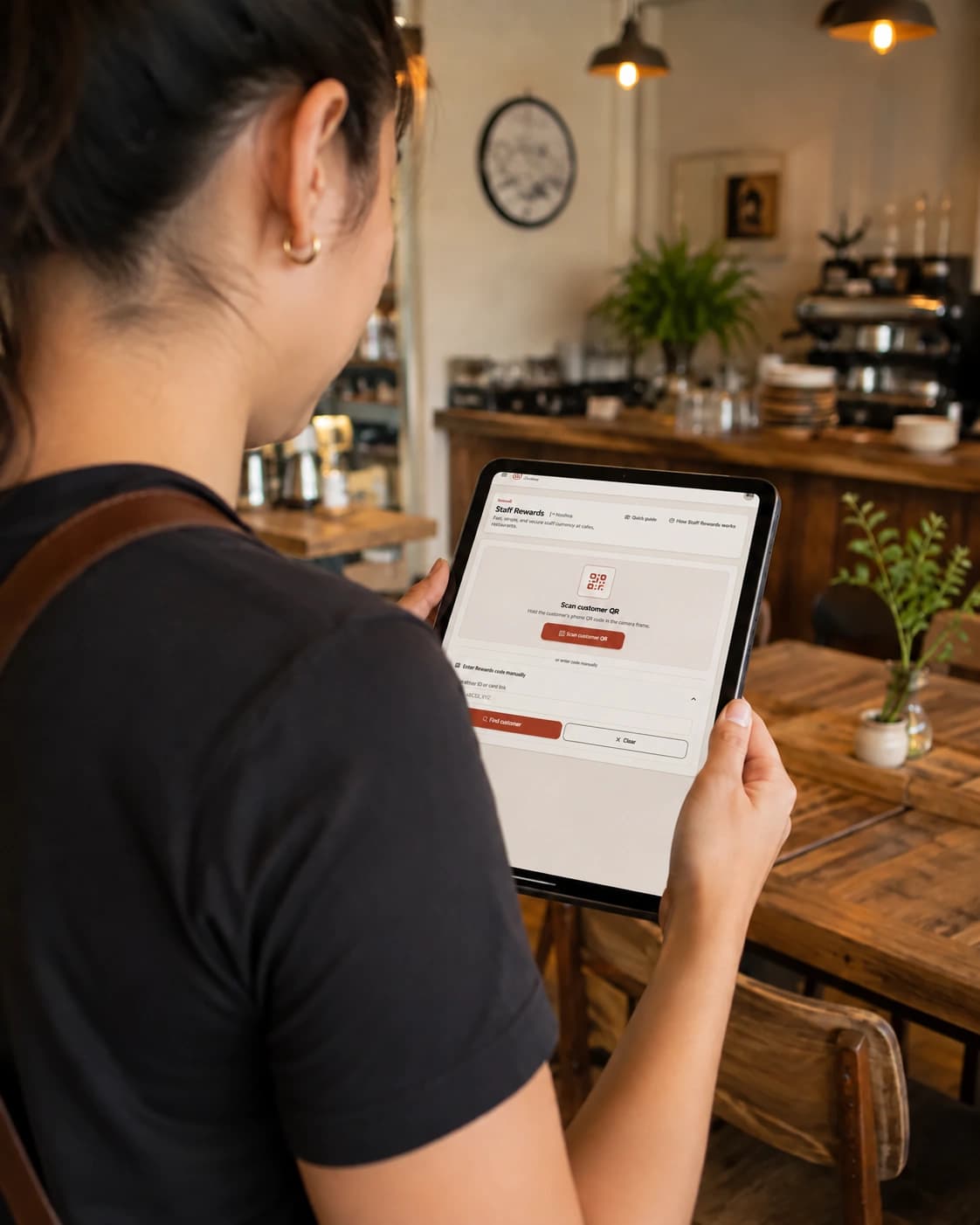
- Focused staff workflowKeep scanning, lookup, and next actions quick and easy.
- Authorized restaurant contextUse the correct restaurant and location every time.
- Stamp and redemption actionsAdd eligible stamps or validate a short-lived Redeem QR.
- Shared-device readyBuilt for staff tablets with configured shared-device access.
ANALYTICS
See what guests use and where attention goes.
Review aggregate QR, Menu, public-action, Rewards, and Loyalty trends for the selected restaurant context and date range.
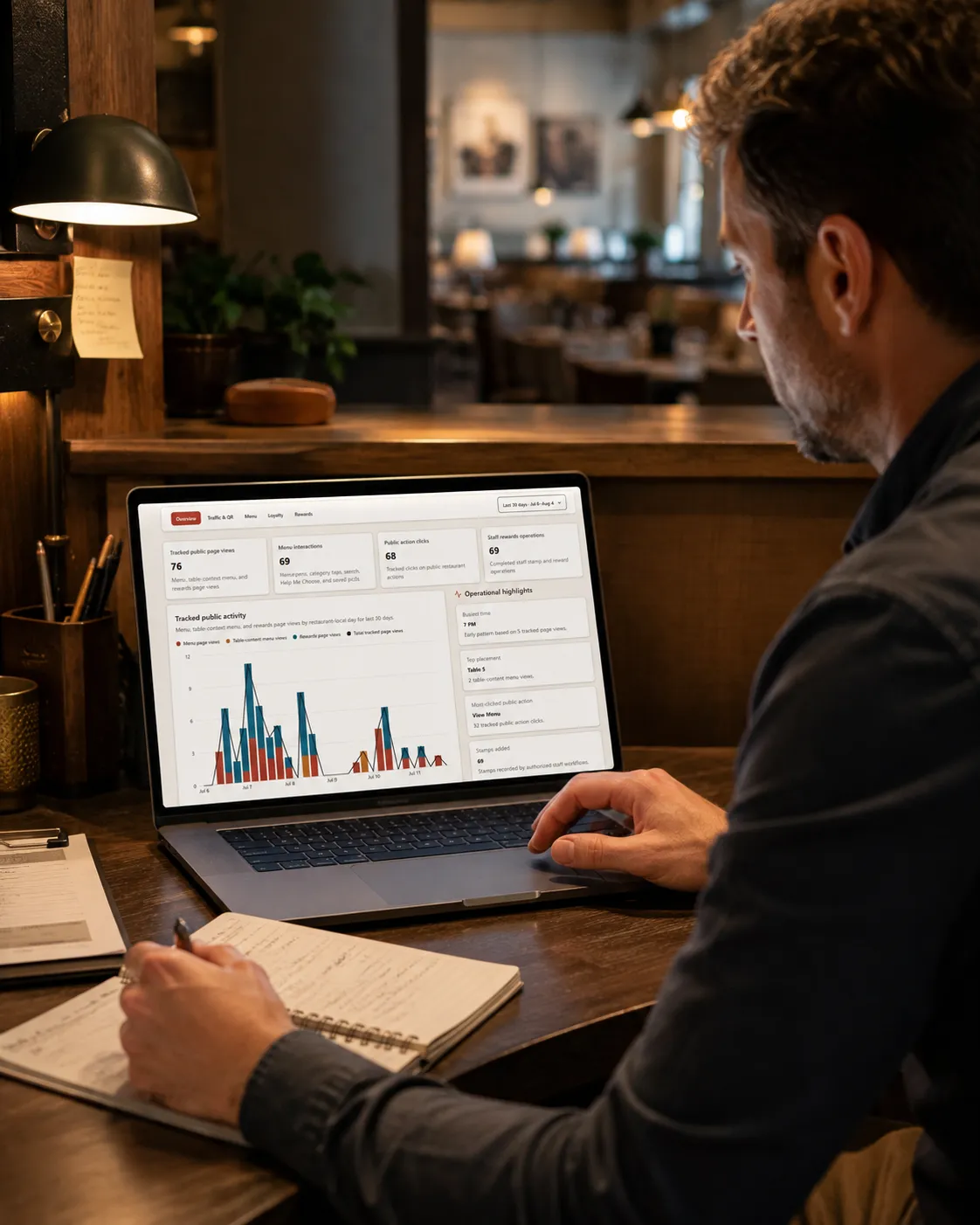
- Aggregate product activityUnderstand how guests engage across QR, Menu, and Rewards.
- QR and public-action visibilitySee which pages and actions get the most attention.
- Menu interest and Rewards trendsTrack popular items, saving behavior, and rewards engagement.
- Plan-aware date ranges and reportingFilter by date ranges that reflect your plan and context.
Start with one step.See where it takes you.
- Tell us about your restaurantShare your goals and the workflow you want to improve.
- We review the fitOur team checks how Noshva can help your restaurant.
- Guided setup if approvedWe help you get started the right way.
- Reviewed individually
- Request does not start billing