
GUEST EXPERIENCE
Make the first scan more useful.
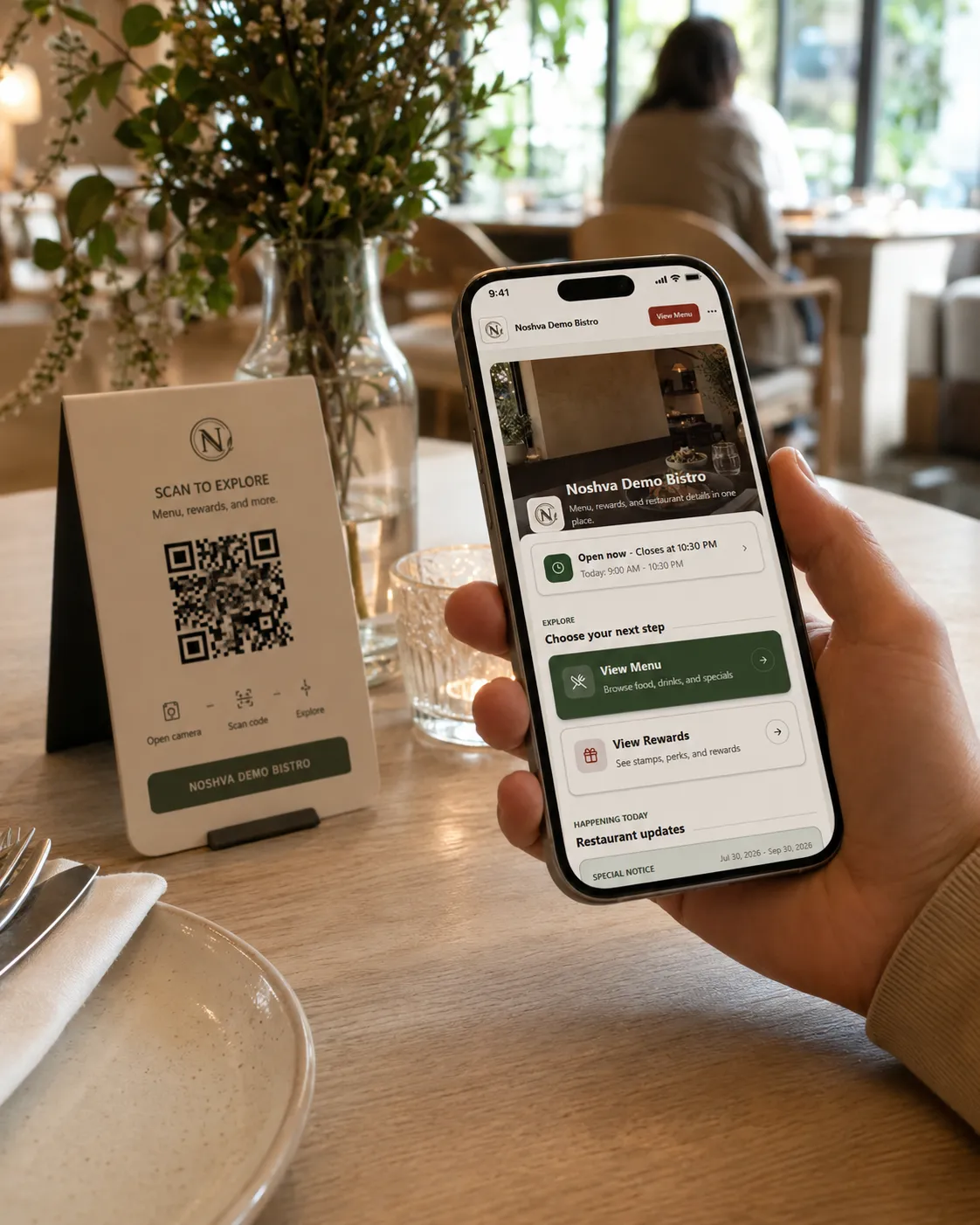
Open QR Landing, Menu, Rewards, hours, and approved restaurant actions from one public experience.
REVIEWED RESTAURANT PILOT
Share a few details. Noshva reviews the fit before any workspace is prepared. If approved, your first guest, staff, and owner workflow is set up with guidance.

Two short steps. No account or payment required.
Step 1 of 2: Contact and restaurant
A FOCUSED PROOF OF FIT
Start with the restaurant moment that matters most, then see how it connects across guests, staff, and owner visibility.
GUEST EXPERIENCE
Open QR Landing, Menu, Rewards, hours, and approved restaurant actions from one public experience.
STAFF WORKFLOW
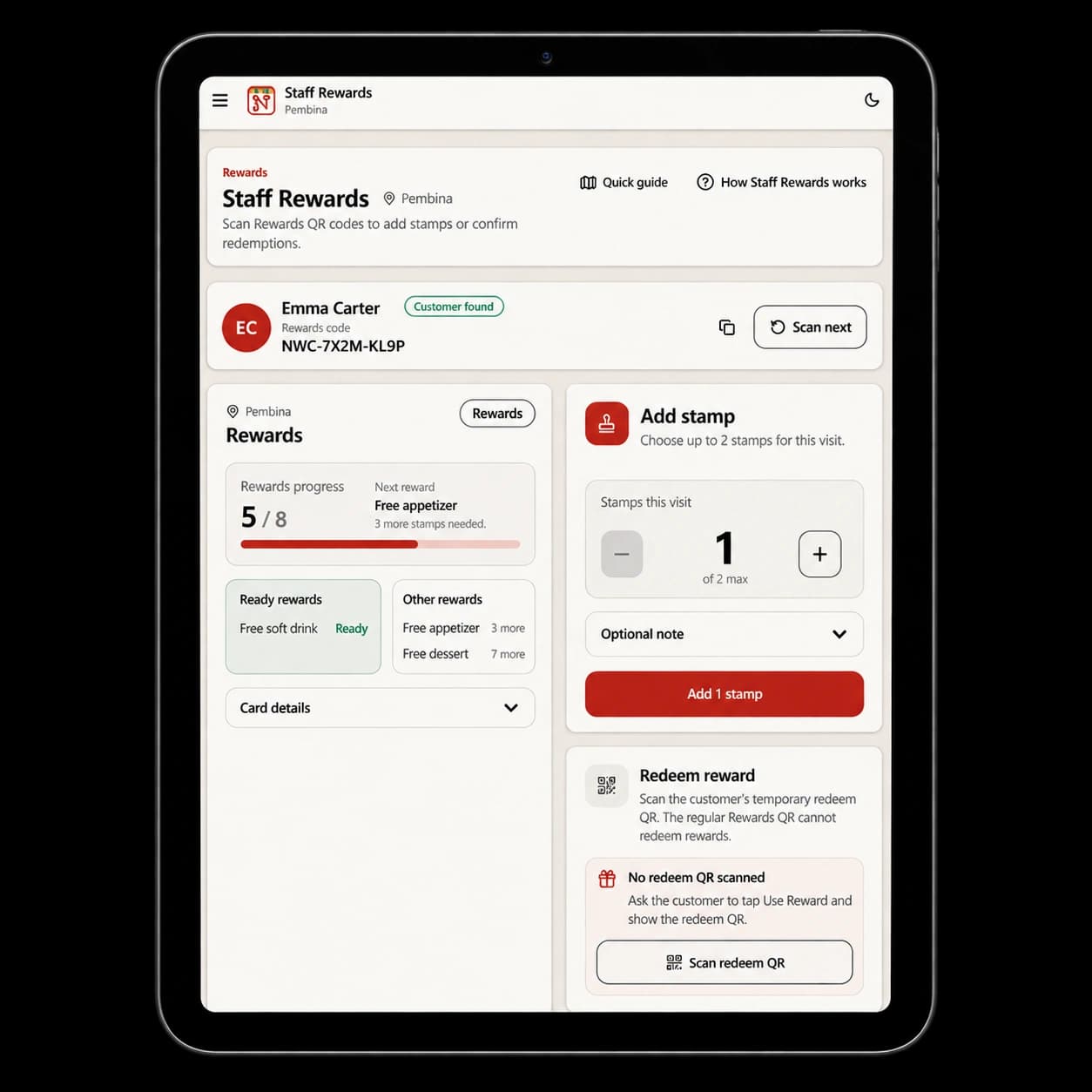
Authorized staff add eligible stamps or validate a short-lived Redeem QR after purchase.
OWNER VISIBILITY
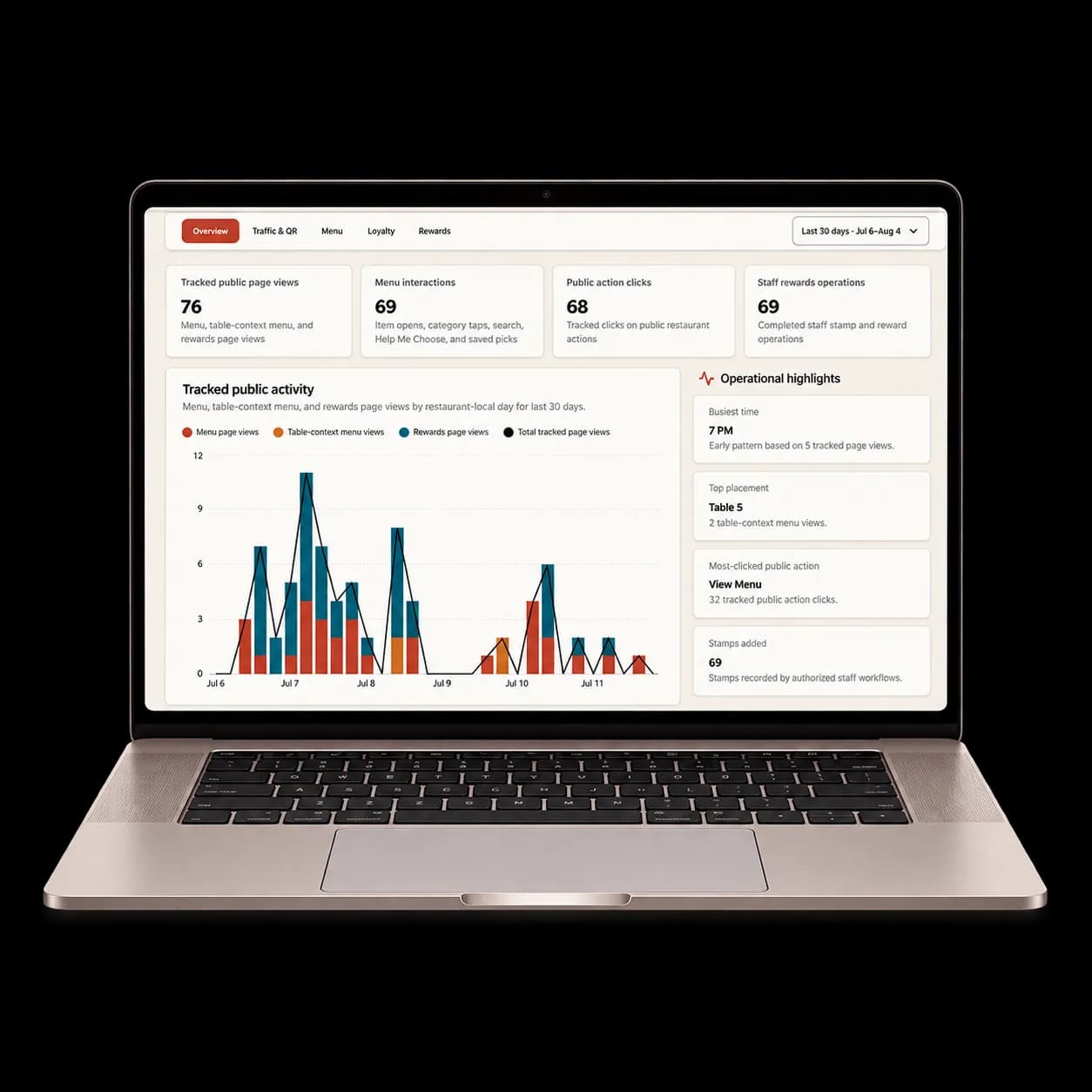
Review aggregate QR, Menu, public-action, and Rewards activity for the restaurant context.
Designed for restaurants, cafés, bakeries, food trucks, quick-service, and similar food-service teams.
Explore full productWHAT HAPPENS NEXT
The request begins a fit review—not an automatic signup.
Share the contact and restaurant context needed for review.
A real person checks alignment, timing, and any useful follow-up questions.
The workspace, owner claim, initial team access, and first workflow are prepared with guidance.
AFTER THE PILOT
The Pilot does not automatically convert to a paid plan. Continued access happens only after the restaurant and Noshva agree on the next step and commercial details.
PILOT QUESTIONS
The four answers restaurants usually need before starting the review.
No. Submitting starts a review only. It does not create a paid subscription or begin billing.